
How to Play Castlevania on Quest for Free: Simon's Destiny Setup Guide
Simon's Destiny is a free first-person Castlevania that runs on a standalone Quest through QuestZDoom. Here is the install path, the bindings that decide whether the platforming works, the settings worth changing, and the failures that stop people short of Dracula's castle.
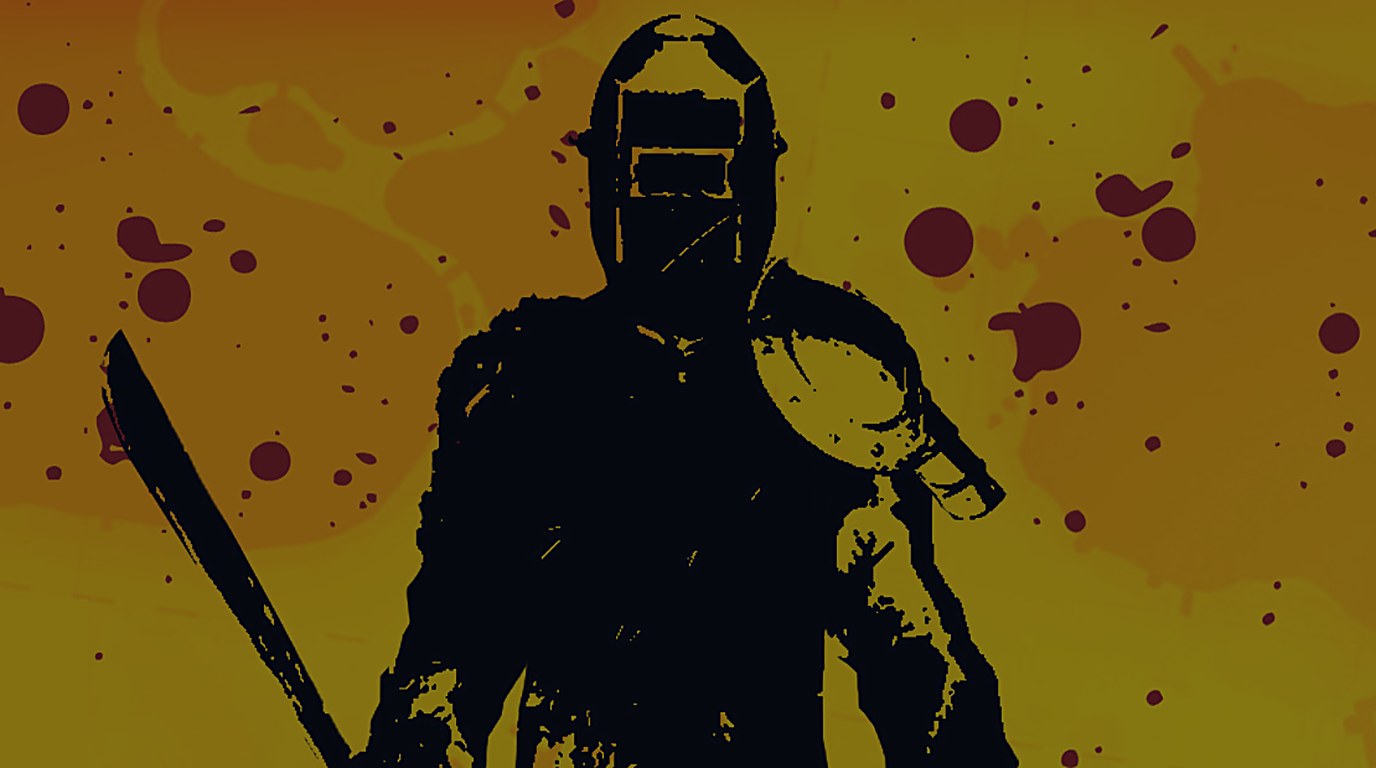
There’s a first-person Castlevania you can play on a standalone Quest for nothing. It’s Batandy’s Simon’s Destiny, a GZDoom total conversion, running through Team Beef’s QuestZDoom engine port. The game is free. The engine is free. The part that costs you an evening is getting the right files and settings to line up.
This guide covers both install routes, the bindings that decide whether the platforming is possible at all, the settings worth changing, and the failures people actually hit. If you want the game itself judged rather than installed, that lives on the Simon’s Destiny game page.
Quick start
If QuestZDoom Launcher is working on your headset, this is the short route:
- Install SideQuest — our full walkthrough covers it if you have never done this before.
- Install QuestZDoom and its companion launcher from SideQuest.
- Open QuestZDoom Launcher and grant the permissions it asks for. You need an internet connection for this first pass.
- Find Castlevania: Simon’s Destiny in the launcher’s downloads. It’s a total conversion rather than a weapon or texture pack, so check the Map Packs / TC category if it isn’t in the default view.
- Download it, select it, and launch with the green Go To Hell button.
- Once you’re in, check your Run, Jump and Alternate Fire bindings, and start supersampling at 0.9.
If Simon’s Destiny isn’t in your launcher catalog, skip to Method 2 and install it by hand.
A compatibility caveat worth knowing before you start: Simon’s Destiny was added to the QuestZDoom Launcher catalog back in February 2021, but catalog contents and launcher behaviour shift with engine builds and Quest system updates. Some users on newer firmware report launcher controls that don’t respond or launches that fail outright. If the launcher misbehaves, work through the troubleshooting section before you start reinstalling game files — the problem is usually the launcher, not the game.
What you need before you start
| Requirement | What you need |
|---|---|
| VR headset | A Meta Quest running a compatible QuestZDoom build |
| VR engine | QuestZDoom by Team Beef |
| Game | Simon’s Destiny — from the launcher, or the Quest-adapted download |
| Installation tool | SideQuest |
| Internet connection | Needed to download the apps and the game |
| Computer | Not required for the launcher route; useful for manual file transfers |
| Doom II or FreeDoom | Not required for the standalone Simon’s Destiny package |
| SteamVR or Quest Link | Not required |
Do you need to buy Doom II?
No, and this is the point most generic QuestZDoom tutorials get wrong for this specific game. Simon’s Destiny is a standalone GZDoom game, not a map pack that needs the commercial Doom II underneath it. Batandy describes it as standalone, and it ships as a Castlevania.ipk3 package that functions as a game in its own right.
Plenty of QuestZDoom guides open with “download FreeDoom or supply DOOM2.WAD first,” which is correct advice for ordinary Doom mods and wrong as a blanket requirement here. Don’t buy Doom II to solve a problem you haven’t encountered yet.
There is one narrow exception. A particular QuestZDoom launcher version can struggle to recognise a manually supplied standalone package, and in that case FreeDoom Phase 2 can serve as a compatibility workaround if the package you selected explicitly asks for a separate base. That’s a launcher quirk, not the game’s requirement.
Which Simon’s Destiny download to use
Start with the launcher download if it’s available. Otherwise use the Quest-adapted package. The difference between the two files matters more than the filenames suggest.
| Download | What it’s for |
|---|---|
| QuestZDoom on SideQuest | The VR engine and the primary installer listing |
| Simon’s Destiny for QuestZDoom on ModDB | The Quest-adapted build, prepared by Fguillotine |
The original Batandy release runs about 71 MB. The Quest version was adapted from the 1.4 release, with normal maps, specular maps and some props stripped out to cut rendering overhead. That Quest archive is named Castlevania1.01.zip and runs about 67.46 MB.
One naming trap: the 1.01 in that filename is the Quest adaptation’s version, not the game’s. The underlying release is still 1.4. If you go looking for “version 1.01 of Simon’s Destiny” you’ll be hunting a build that doesn’t exist.
The original is the authoritative reference for the game and its authorship. The Quest-adapted package is the sensible starting point for standalone hardware, because the assets it removes are exactly the ones that cost you framerate.
Method 1: install through the QuestZDoom Launcher
Use this when the launcher works on your headset. It avoids most of the file management.
Step 1: Install SideQuest. SideQuest’s own installation has changed through 2026, and on supported Quest software you can now install it directly on the headset without the old developer-account and USB dance. In-headset: open the Quest Browser, download the SideQuest APK from its setup page, then open the headset’s Files app, choose Open With → Package Installer, approve it, and add SideQuest to your library. If your headset doesn’t offer the Package Installer route, use the desktop setup instead, which may want developer mode, a data-capable USB cable, and approval of the USB debugging prompt. Our SideQuest guide walks through both.
Step 2: Install QuestZDoom. Find QuestZDoom on SideQuest and install it. It’s two parts, and you want both: the engine that runs the game, and the QuestZDoom Launcher that downloads content and passes settings to the engine. Team Beef’s SideQuest package has historically bundled them together, so check that both are present before you try to launch anything. The old standalone launcher listing (SideQuest app 802) is not always available any more; start from the main QuestZDoom listing.
Step 3: Open the launcher. You’ll find it in your app library, your SideQuest library, or under Unknown Sources depending on your Quest software version. Open it and approve the file-access permissions. You should land on a menu of downloadable game files, map packs, gameplay mods and add-ons.
If the laser pointer appears but nothing responds, stop here. That’s a known launcher problem rather than anything to do with Simon’s Destiny, and the troubleshooting section covers it.
Step 4: Find and download the game. Look for Castlevania: Simon’s Destiny in the launcher downloads, checking the Map Packs / TC category if it isn’t in your initial view. Select it and let the download finish. If it isn’t in the current catalog, don’t assume you’ve missed a hidden setting — use Method 2.
Step 5: Select it and launch. For the first launch, keep the configuration clean:
- Select Simon’s Destiny as the game you want to run.
- Don’t stack Brutal Doom, weapon packs, HD textures or other Doom mods on top of it.
- Don’t force a retail Doom WAD or FreeDoom underneath it if the launcher recognises it as a standalone game.
- Set SS (supersampling) to 0.9 as a conservative baseline.
Then press the green Go To Hell button.
Success looks like reaching Simon’s Destiny’s own title screen, not the stock Doom or FreeDoom menu. If ordinary Doom starts, the launcher picked the wrong base or failed to load the Castlevania package. If you get a black screen or get bounced back to the Quest home, jump to the matching troubleshooting entry.
Method 2: install the Quest build by hand
Use this when the launcher doesn’t list Simon’s Destiny, or when you want control over the exact file you’re running. Worth being clear about what it fixes: manual installation solves a missing catalog entry. It will not, on its own, repair an unresponsive launcher.
Step 1: Download the Quest-adapted game. Grab Castlevania1.01.zip from the ModDB page — the build adapted from Batandy’s 1.4 release. Don’t substitute an old 1.3 download, a Castlevania III add-on, or an unrelated Doom mod pack.
Step 2: Extract the archive. On a computer, unpack the ZIP and look at what’s inside. The standalone game uses an .ipk3 package, and Doom-family add-ons may arrive as .pk3 or .wad files. Those extensions matter, because QuestZDoom treats a standalone game package differently from an add-on that loads on top of another game. Don’t rename a file just to force it into the launcher, and don’t assume the outer ZIP is the game file. If there’s a README, follow its stated dependencies and load order.
Step 3: Copy the files to the Quest. Connect the headset with a data-capable USB cable, or use a SideQuest file-transfer feature. QuestZDoom’s two content folders:
| Folder | What goes there |
|---|---|
/sdcard/QuestZDoom/wads/ | Standalone game packages and IWADs |
/sdcard/QuestZDoom/mods/ | Additional mods that load over another game |
A standalone .ipk3 game package belongs in wads/. A supplemental .pk3 meant to load on top of something else belongs in mods/. If the QuestZDoom folder doesn’t exist yet, open QuestZDoom once so it creates its directories, grant storage permissions if asked, and on some headsets restart before the folder shows up to a connected computer. Make sure the game file sits directly in the folder rather than buried inside a second ZIP or an extra directory level.
Step 4: Rescan and select it. Reopen the launcher and press Rescan, or restart it. Look for the Castlevania package among recognised games, or under Other. If QuestZDoom recognises it as a standalone game, select it without adding a Doom IWAD. If the archive turns out to contain a supplementary mod that explicitly needs a base game, follow the included instructions — and only then reach for something like FreeDoom Phase 2 from the launcher’s Core Files. Select the files in the right order, base first and dependent add-on after, then launch.
Don’t treat FreeDoom as a universal fix for every Castlevania launch failure. The standard package is standalone. A failure to detect it points at a wrong folder, a nested archive, an unsupported launcher version, or a misclassified file — not at a missing base game.
The controls that decide whether you get anywhere
Simon’s Destiny asks more of a controller than a point-and-shoot VR game. Set these before your first serious fight. QuestZDoom has both older and newer control layouts, and you can rebind everything under Options → Customize Controls. The table assumes a right-handed setup.
| Action | Typical QuestZDoom binding |
|---|---|
| Move | Left thumbstick |
| Turn | Right thumbstick |
| Whip / primary attack | Right trigger |
| Open doors / activate | A |
| Jump | B |
| Automap | Y |
| Switch weapons | Right thumbstick up/down |
| Subweapon / alternate fire | Hold right grip + press right trigger |
| Run | Left grip on newer dual-wield layouts; left trigger on older ones |
| Open game menu | Left controller menu button |
Check Run even if everything else feels right. QuestZDoom’s newer dual-wield layout moved the speed button from the off-hand trigger to the off-hand grip, which means an older controller diagram will give you the wrong answer. If the layout has been customised or imported from an old install, look up Speed/Run, Jump, Fire, Alt Fire and Use directly in the control menu rather than trusting the button labels.
The whip. Pull the primary trigger. This is a Doom-engine VR conversion, not a physics-based whip sim — controller tracking and weapon orientation are part of the experience, but swinging your arm doesn’t replace the attack input.
Subweapons. Simon picks up axes, holy water and the rest of the Castlevania kit. Activate the equipped one with Alternate Fire, usually right grip plus right trigger. If the whip works and the subweapon doesn’t, check that binding first — it is almost never the mod installation. You carry one subweapon at a time, and picking up another replaces it.
Hearts are ammunition, not health. The convention that catches people out in VR: hearts power your subweapons and don’t heal Simon. For healing, look for cracked walls and odd patches of brickwork and hit them. The hidden wall food from the original game is in here too.
Fix your eye height early. If Simon feels short and the enemies tower over you, open VR Options and adjust Height Offset. Recenter the headset first, then nudge the offset until the world scales correctly. This is a known Simon’s Destiny issue on QuestZDoom, not evidence that your tracking is broken.
Fix jumping before you get stuck. The game includes platforming that assumes you can run and jump properly. If an early gap looks impossible:
- Confirm Run works at all.
- Turn on Always Run / Always Autorun in the player settings so you don’t have to hold a button.
- Try a running jump rather than jumping from a standstill.
- If you still fall short, raise the walking/running speed a little under QuestZDoom’s VR options.
The game’s creator recommends Always Run, and QuestZDoom contributors have specifically suggested raising movement speed for the awkward Castlevania jumps. Don’t push speed so high that ordinary movement becomes unpleasant to control.
Performance settings worth changing
There’s no single best preset across every Quest model and engine build. Start from the Quest-adapted game, remove unrelated mods, and tune from a stable baseline. These are the settings to try, roughly in this order.
| Setting | Starting point | Why |
|---|---|---|
| Game build | Quest-adapted version | Removes several expensive visual assets |
| Supersampling (SS) | 0.9 | Conservative baseline for standalone VR |
| Refresh rate | Auto/default | Avoids forcing a potentially uncomfortable low refresh |
| Render the SkyDome | Off | Documented QuestZDoom performance win |
| Dynamic lights | Off or reduced | Cuts expensive lighting work |
| Reflections / light shadowmaps | Off where available | Removes additional rendering cost |
| HD textures and effects | Disabled | Keeps your testing focused on the base game |
| Texture filtering | None, if you want sharp pixels | Preserves the intended retro look |
| Turning | Snap, initially | Usually easier to tolerate while you set up |
Reduce supersampling before you reduce everything else. The launcher traditionally starts at 0.9, which is a fine place to begin. If play is smooth, try more resolution. If busy rooms stutter, drop to 0.8 and compare the same spot. Judge performance in combat, an outdoor section and a room full of enemies and lighting — the title screen tells you nothing.
Then turn off the SkyDome. QuestZDoom’s own release notes call Render the SkyDome a substantial performance improvement. For a game with deliberately retro presentation, losing the sky dome costs you very little.
Then cut lighting and post-processing. If you’re still dropping frames, reduce or disable dynamic lights, reflections, shadowmaps and unnecessary post-processing where your build exposes them. Some QuestZDoom builds also offer an OpenGL Lite / OpenGL ES backend, which the contributor documentation recommends for mobile VR hardware. Treat that as an advanced step: change it on its own, restart if needed, and revert if your build renders incorrectly.
Installing a high-resolution texture pack to fix a performance problem is moving in the wrong direction.
Should you force 60 Hz? Older QuestZDoom instructions pair Force 60Hz with 0.9 supersampling. I wouldn’t make that the automatic choice on a modern Quest. A lower refresh can rescue an underperforming game, but visible flicker is a worse outcome than a slightly softer image. Start on auto, reduce resolution and expensive rendering first, and only experiment with a lower refresh if you’re comfortable with the result.
Comfort. QuestZDoom offers smooth and snap turning, plus smooth locomotion and teleport. For a first session, snap turning with a moderate movement speed is the safe combination. Teleport helps with general navigation, but Simon’s Destiny’s running jumps want Run and Jump properly bound. Take short breaks while you’re tuning, and if movement makes you uncomfortable, stop rather than pushing through it. For broader headset-side tuning, our Quest Game Optimizer guide covers the resolution side of the same problem.
Troubleshooting
QuestZDoom Launcher is missing. Check whether you installed the full QuestZDoom SideQuest package or just an engine APK from an old GitHub release. Team Beef bundles them; the separate launcher listing isn’t always available. Look in your installed apps and Unknown Sources, and if only the engine is there, reinstall from the current SideQuest package.
The launcher opens but nothing responds. This has been reported on newer Quest firmware. The launcher developers advised anyone moving from QuestZDoom Launcher 1.05 to 1.06 to uninstall the old launcher first and reinstall through SideQuest. Back up your game files and settings before uninstalling anything — don’t wipe the whole QuestZDoom folder just to update the launcher. And don’t assume an older GitHub release is safer simply because it’s easier to find; public GitHub launcher downloads haven’t always matched the current SideQuest builds.
Simon’s Destiny isn’t in the launcher list. It was in the catalog historically, which doesn’t guarantee it appears in your version. Check the total-conversion and map-pack categories, confirm the launcher can download other entries, and if Castlevania is still missing, install the Quest-adapted package by hand.
The file doesn’t appear after copying. Work down the list: the archive was extracted; you copied the actual game file and not the outer ZIP; a standalone .ipk3 is sitting in /QuestZDoom/wads/; any supplemental mod is in mods/; the file isn’t inside an extra folder; and you’ve restarted the launcher or pressed Rescan. An unrecognised file may show up under Other instead of getting a proper icon, which doesn’t mean it’s corrupt.
Go To Hell gives you a black screen or drops you back home. Disable every unrelated mod and launch Simon’s Destiny alone. Then check the game file and the selected base, and make sure you’re using the Quest-specific build rather than mixing the unmodified PC release with a Quest configuration. If the launcher fails to hand off, try opening the QuestZDoom engine app directly after selecting the game — some users report the engine launching their last configuration even when the launcher button does nothing. That’s a workaround, not a fix. Where your build offers View Launch Log, read it; a log naming a missing file or an engine error beats reinstalling blindly.
Regular Doom starts instead of Castlevania. The launcher is loading the wrong selection. Go back, deselect the unrelated Doom or FreeDoom setup, and select the standalone Simon’s Destiny package. Adding more mods won’t conjure the right game.
The whip works but subweapons don’t. Check the Alternate Fire binding, then confirm you’ve picked up a subweapon and have the hearts to use it.
You can’t make a jump. Turn on Always Run, or confirm your Run binding — on newer builds it may be on the left grip rather than the left trigger. If you can run and still come up short, raise movement speed conservatively in VR Options. This is one of the few Simon’s Destiny problems the community has a specific answer for.
Everything looks blurry. Supersampling and texture filtering are different settings doing different jobs. Supersampling changes render resolution; texture filtering changes how the low-resolution textures are displayed. For sharper retro art, set Texture Filtering: None. If the scene is still soft and you have performance headroom, raise supersampling gradually.
Simon’s Destiny on Quest: FAQ
Does it work on Quest 2, Quest 3 and Quest 3S? QuestZDoom is a standalone Quest port and Simon’s Destiny has a documented history of running through it, but a working engine install doesn’t guarantee that every current firmware and launcher combination will start this particular game. Quest 3 and 3S owners should read the launcher compatibility note above first. There’s no verified device-by-device benchmark on current firmware, and I’m not going to invent one.
Can you play it without a gaming PC? Yes. QuestZDoom runs on the headset itself, so a gaming PC, SteamVR and Quest Link aren’t needed. The launcher route also avoids manual file transfers entirely. If you end up doing the manual install, a computer makes that part considerably easier.
Is it an official Castlevania VR game? No. It’s a free, non-commercial fan game by Batandy using Konami’s characters and setting. QuestZDoom is a separate community engine port.
Does it have full motion-controlled whip combat? It plays in VR through QuestZDoom, but attacks are triggered through the engine’s weapon controls rather than simulated arm swings. Expect a Doom-engine conversion, not a physics whip.
Do you need a Doom II WAD? Not for the standalone game. A specific manual-loading configuration may want a compatible base as a workaround, which isn’t the same as the game requiring you to own Doom II.
Which version should you download? For standalone Quest, use whatever the working launcher offers, or the Quest-adapted package from ModDB. Keep the original Batandy release as your reference for the game itself.
What’s the single most important setting after installing? Run. Simon’s Destiny’s jumps assume running movement, and a wrong Run binding makes ordinary platforming feel impossible while everything else looks correctly configured.
Credits
Castlevania: Simon’s Destiny was created by Batandy. The Quest-adapted build was prepared by Fguillotine. Dr Beef / Team Beef developed QuestZDoom, and BaggyG built QuestZDoom Launcher. All of them are volunteers, and the whole route exists because they kept working on it after the hardware moved on.
One last habit worth adopting: get Simon’s Destiny running with no other mods first, save that configuration, and only then start experimenting. Diagnosing a problem is far easier when you know exactly which change caused it. If you want the game’s strengths and limits rather than its install steps, the game page is the place to start — and if you want more of the series in a headset, Castlevania VR covers the NES original through a very different route.