
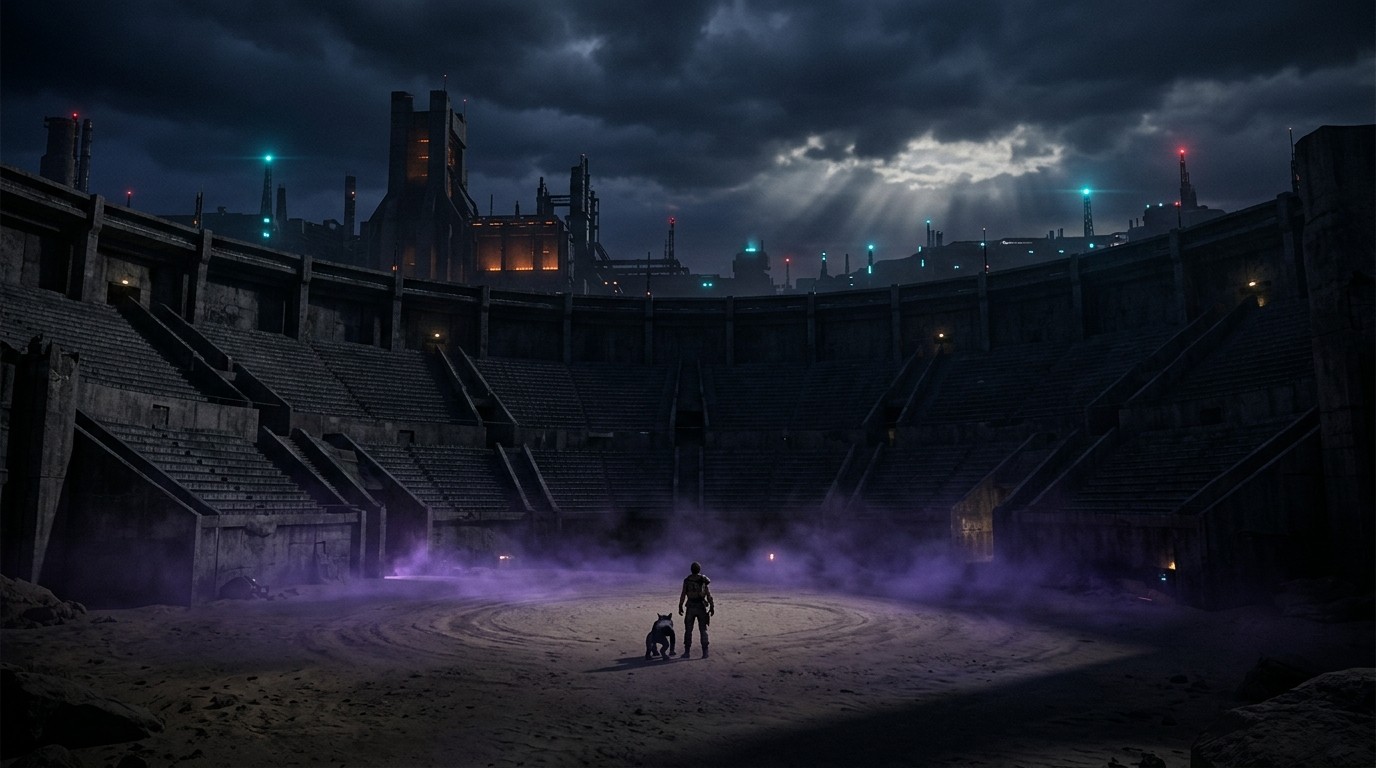
I loaded Pokémon XD into DolphinXR for the first time expecting a novelty. A GameCube RPG on a virtual screen with some parallax — cute, but not something I’d spend real time with. Then I walked into the Orre Colosseum and the camera pulled back, and the concrete walls and tiered seating had actual depth, and I realized I was looking at a 2005 Pokémon world that suddenly felt like a real place. Not a flat image. A place.
That’s the pitch for Pokémon XD in VR: not a revolution, not a reimagining, but a way to inhabit a childhood world with your eyes doing what they do naturally — tracking depth, noticing parallax, feeling the distance between you and Shadow Lugia. It’s subtle. It’s enough.
What DolphinXR Actually Is
DolphinXR is an open-source fork of the Dolphin GameCube/Wii emulator that adds native OpenXR support. It runs on Windows and Linux with any OpenXR runtime — SteamVR for Index and Vive owners, Oculus/Meta Link for Quest users on PC, or VDXR for a lightweight alternative. There’s also a standalone Android build that sideloads directly onto Quest headsets, though the PCVR experience is the one worth your time.
You supply your own GameCube disc dump. DolphinXR handles the rest: stereoscopic 3D rendering, 6DOF head tracking, and a VR configuration panel that lets you reposition camera anchors and adjust controller bindings in-headset. The project is active — four releases between April and July 2026, with passthrough and foveated rendering added in the latest update. It’s free, it’s maintained, and it works.
How the Game Handles It
Pokémon XD is a third-person RPG with a game-controlled camera. You don’t steer the camera — the game does, sweeping around during overworld traversal and locking into staged angles during turn-based battles. In flat mode, that’s standard Pokémon. In VR, it means you’re a spectator with depth perception. The camera orbits around you, and your head tracking lets you lean into the parallax — shift left and the foreground trees slide against the background buildings, shift right and the perspective inverts. It’s the closest thing to looking into a snow globe.
The turn-based battles are where this works best. The camera settles into a fixed position, and suddenly the arena has real spatial relationships. Your Pokémon stands in front of you at a believable distance. The opponent is across the field, not on the same flat plane. Attack animations play out in three dimensions that actually have three dimensions. It’s not dramatic — nobody’s ducking virtual fireballs — but it’s the kind of quiet presence that makes you forget you’re wearing a headset.
The overworld is less stable. XD’s camera sweeps and pans during exploration, and those movements can feel disorienting when your head is tracking them in stereo. The game was designed for a flat screen where camera motion is smooth and expected; in VR, those same sweeps create a mild disconnect between what your inner ear expects and what your eyes see. It’s manageable — I played in sessions of thirty to forty-five minutes without issue — but it’s not the seated-on-the-couch comfort of a native third-person VR game.
Comfort and Performance
This is one of the most VR-sickness-friendly emulator experiences available. Third-person camera, no forced locomotion, no first-person strafing, no motion controls — the game does all the camera work for you. If you’ve bounced off Dolphin VR’s more aggressive titles (Metroid Prime’s FPS hack, for instance), XD is a different animal entirely.
The main comfort caveat is the native 30fps presentation. XD runs at 30 frames per second on original hardware, and DolphinXR inherits that. In a headset, 30fps creates visible judder — a slight strobing effect that your eyes notice even if your brain tries to smooth it out. Dolphin’s frame interpolation and reprojection help, but they don’t eliminate it. Seated play with short sessions is the play. DolphinXR’s camera anchor overrides let you pull the world back slightly, which reduces the claustrophobic feeling of low-poly geometry at arm’s length.
Performance-wise, this is a GameCube game running on modern hardware. Even at high internal resolution — which you want, because 2005-era textures and geometry look rough at native resolution in VR — DolphinXR barely breaks a sweat on a mid-range PC. The Quest standalone build is heavier, but foveated rendering and the 2D Cinematic Mode option keep it viable. This is Efficient-tier performance on PC, Moderate Demand on Quest.
What Works and What Doesn’t
The depth is the real draw. Walking through Dolphin City’s metallic corridors and feeling the scale of the architecture, watching the camera pan across Mt. Battle’s tiered arenas with real spatial separation, seeing the purified Pokémon animations play out in front of you at a distance that feels right — these are moments that the flat version can’t replicate. The VR doesn’t transform XD, but it does make the Orre region feel like a place you’re visiting rather than a screen you’re watching.
What doesn’t work: the low-poly character models and environments become more apparent in VR, not less. XD’s art direction was fine for a 2005 CRT, but up close in stereo, the angular character models and muddy textures are distractingly rough. High internal resolution softens this but doesn’t fix it. The flat menus and text boxes float in space without VR adaptation — they’re readable, but they break the presence every time they appear. And the game’s fixed camera means you’re never fully in control of what you’re looking at; you can shift your perspective with head tracking, but you can’t reposition the camera the way you would in a native VR game.
There’s also the setup friction. You need a GameCube disc dump, an OpenXR runtime, and a willingness to configure Dolphin’s rendering settings. The widescreen community code is strongly recommended — without it, you’re staring at a 4:3 box in the middle of your headset, which defeats the purpose. DolphinXR’s VR config panel makes this easier than it used to be, but it’s still Advanced Setup territory.
The Orre Region, One More Time
There’s a nostalgia angle here that I can’t ignore. Pokémon XD was a weird, ambitious spinoff — a console RPG that tried to do something different with the franchise, darker and more cinematic than the handheld entries. The Orre region has a genuine identity: desert towns, industrial complexes, a criminal organization that corrupts Pokémon. In VR, that identity gains texture. The world feels lived-in because you can see the layers of it.
DolphinXR is an AI-assisted fork, which is worth noting — the readme mentions it explicitly. Whether that matters to you is a personal call. What matters to me is that the fork works, the VR is stable, and the project is actively maintained. The original Dolphin VR fork that first made this possible back in 2016 is long dead — its GitHub is gone, its builds are archived, its Oculus Rift DK2-era code has no business running on a modern headset. DolphinXR is the successor, and it’s the one you should use.
Who This Actually Serves
This is for Pokémon fans who want to revisit XD with fresh eyes — literally. It’s for emulator enthusiasts who enjoy the process of getting old games running in new ways. It’s for VR newcomers who want a gentle entry point into emulator VR, something that won’t make them sick on day one. It is not for players who expect motion-controlled Pokémon catching, first-person immersion, or the kind of VR transformation that justifies a headset purchase on its own.
Pokémon XD in VR is a C-tier experience in the absolute sense: the flat version is probably just as good, and the VR adds presence without transformation. But that presence is real, and for a game this specific — this weird, this committed to its own dark little corner of the Pokémon universe — even a modest VR treatment feels like a small gift. If you’re already a fan, if you’ve got a Dolphin setup and an afternoon, it’s worth the detour.