
Quest 1 vs Quest 2: Is the Upgrade Worth It?
Two Oculus headsets, one clear winner for most buyers — but a cheap used Quest 1 still has a niche. This is how the Quest 1 and Quest 2 actually compare in early 2021.
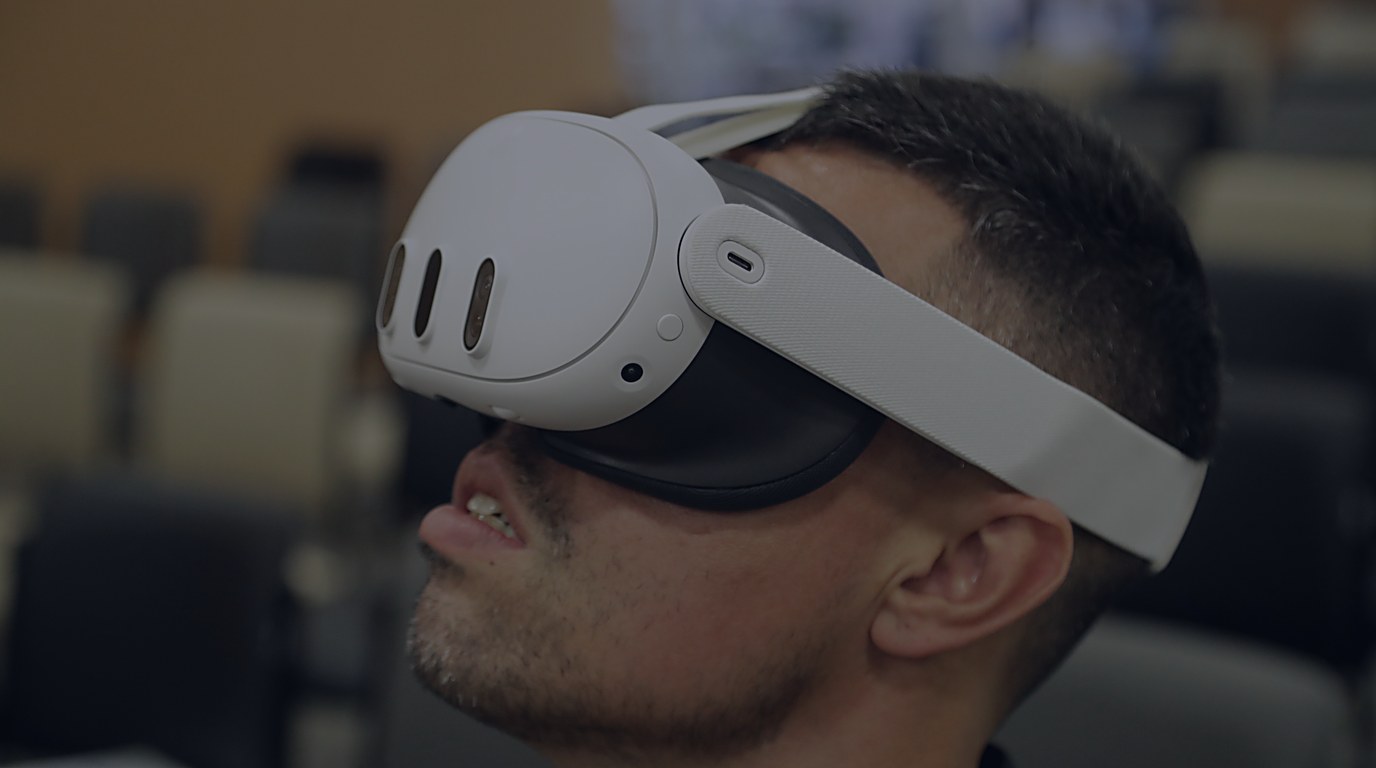
I bought a Quest 1 the week it shipped in May 2019 and called it the first standalone headset worth owning. Then Oculus launched the Quest 2 in October 2020 at a lower price than the headset it replaced, and my living room suddenly had a newer, cheaper, sharper box staring at the old one. The question everyone in VR has been asking since is simple. Do I upgrade, or do I grab a used Quest 1 on the cheap and call it good?
That question has a real answer, and it isn’t “just buy the new one” by reflex. The Quest 2 is a genuine step-change — better chip, sharper screen, higher refresh, lighter body, and a price that undercuts its predecessor. But the swap from OLED to LCD cost it something, and the IPD adjustment went from a smooth slider to three fixed notches. For a specific kind of buyer, the older headset still wins a round.
Price and availability, as they stand now
The Quest 2 launched October 13, 2020 at $299 for the 64GB model and $399 for the 256GB model. That $299 entry price is the headline because it undercuts the Quest 1’s original $399 (64GB) / $499 (128GB) launch by a full hundred dollars at the floor. Oculus discontinued the Quest 1 in September 2020, a month before the Quest 2 even shipped, so as of right now you cannot buy a new Quest 1 at all. Every Quest 1 you see for sale is used.
That reframes the whole comparison. This isn’t “new $399 headset versus new $299 headset.” It’s “new $299-and-up headset versus a used Quest 1 that someone is offloading.” The used market puts Quest 1 bodies in the rough ballpark of $200 in some regions while a Quest 2 still runs $370 and up depending on where you live, but the gap is narrow enough that “cheap used” is doing a lot of work in that math. If you’re buying new, the decision is already made for you.
The display fight: OLED versus LCD
This is the one spec war where the older headset fights back. The Quest 1 uses dual OLED panels at 1440x1600 per eye, running at a fixed 72Hz. OLED means real blacks and strong contrast — the kind you notice in a dark horror game or a starfield. The catch is the diamond PenTile subpixel layout, which makes the screen-door effect more visible. Through-the-lens photos from owners show the Quest 1 panel reading almost like a faint checkerboard next to the Quest 2.
The Quest 2 switches to a single fast-switch LCD at 1832x1920 per eye with striped, non-PenTile subpixels. Resolution goes up, the screen-door effect effectively vanishes, and the panel hit 90Hz for games in a November 2020 update after launching locked at 72Hz. The LCD lifts blacks and drops contrast because it can’t turn pixels fully off. If deep blacks are the thing you notice first in VR, the Quest 1’s panel will look better in exactly those scenes. For everything else — text readability, edge crispness, the general sense that you’re looking through a cleaner window — the Quest 2 wins, and it isn’t close.
Performance: the gap that ends most arguments
The Quest 1 runs a Snapdragon 835 with 4GB of RAM. The Quest 2 runs a Snapdragon XR2 with 6GB. The performance gap is a chasm, not a generational bump. The XR2’s Adreno 650 lands around 902 GFLOPS of FP32 compute against the 835’s roughly 343 — more than double the graphics horsepower. In practice that means the Quest 2 renders a higher native resolution at 90Hz where the Quest 1 is stuck at 1440x1600 and 72Hz, and it does so without the in-game text blur that Quest 1 owners blamed on the 835’s compute limits rather than the panel.
Several titles shipped “Quest 2 Enhanced” builds to take advantage, and a few releases skipped the older headset entirely. Community threads flag games like Population: One becoming unlaunchable on Quest 1 as the install base consolidated around the newer hardware. The 835 was a flagship phone chip in 2017; by 2021 it was the weakest link in the room, and it shows.
Ergonomics and controllers
The Quest 2 is the lighter headset on paper — 503 grams against the Quest 1’s 571 grams — but lighter doesn’t automatically mean more comfortable. The Quest 2 is front-heavy, and both headsets shipped with stock straps that got widely criticized. The Quest 1’s original strap at least distributed things in a way some owners found more forgiving overall; the Quest 2’s stock strap was panned enough that Oculus pushed the Elite Strap as the fix, and that accessory had its own quality issues and a warranty extension.
The IPD situation is the other genuine downgrade. The Quest 1 has a physical slider that glides continuously across roughly 58 to 68mm. The Quest 2 gives you three fixed positions — 58, 63, 68mm — and you move between them by hand. If your eyes don’t land near one of those three stops, you’re compromising. Reviewers flagged the reduced IPD options as a real criticism, not a footnote.
Controllers improved. The Quest 2’s third-generation Touch pads borrow from the original Rift design and reportedly last about four times longer on a charge than the Quest 1’s controllers, with better thumbsticks and an angled sensor ring. That’s a quiet quality-of-life win that adds up over a long ownership.
PC VR Link: both plug in, the Quest 2 pushes harder
Both headsets do wired Oculus Link over USB, and both run the same inside-out Guardian tracking with four cameras. The Quest 2 feeds a higher encode resolution over Link and reaches 90Hz then 120Hz on the PC side, where the Quest 1 stayed at 72Hz. Air Link wireless streaming is expected to arrive on the Quest 2 in a 2021 software update — and Oculus has indicated it will also reach the Quest 1, so the wireless PC option shouldn’t be a Quest 2 exclusive despite the early assumption. Our Quest Link guide walks through the wired setup on either headset.
Ecosystem and longevity: the slow squeeze
The Quest 2 supports every game and app made for the Quest 1, and existing titles can be patched to look better on the newer hardware. The reverse is not guaranteed — owners report titles that simply won’t launch on the older headset as the library consolidates around the XR2. The Quest 1 was discontinued from sale almost the moment the Quest 2 arrived, and its feature updates are expected to wind down through 2021 toward a maintenance-only state. The Quest 1 is the minimum target today and a dropped target before long.
For a buyer, that asymmetry matters more than any single benchmark. A Quest 2 you buy now has a long support runway and a library that keeps expanding. A used Quest 1 is a dead-end purchase the day you open the box — fine if you only want what exists right now, a problem the moment a game you want ships Quest 2-only.
The Facebook account landmine
One controversy lands squarely on the Quest 2’s doorstep at launch. It required a Facebook account. New headsets mandated it from October 2020, and existing owners are expected to be folded in over the coming years. That turned a hardware choice into a policy choice, and a lot of people who just wanted to play VR games did not want to hand Facebook their identity. The mandate drew regulatory pushback — Germany briefly halted Oculus sales over it — and there were reports of account-merge snafus locking people out of brand-new headsets. Oculus may eventually drop the requirement, which would defuse the objection — but at launch it was still a live one. For buyers at launch in late 2020 or early 2021, it was a real and legitimate reason some owners stuck with a used Quest 1 they already owned rather than converting to the new ecosystem.
Verdict: who should actually buy which
The Quest 2 is the better headset on the majority of axes that matter — sharper screen, faster chip, higher refresh, lighter build, longer controller life, and a support future the Quest 1 simply doesn’t have. At $299 it also undercuts what the Quest 1 cost new. For anyone buying fresh, the Quest 2 is the answer and there’s no shame in saying so plainly.
The Quest 1 keeps a narrow edge in exactly two places: OLED black levels for people who notice them, and a continuous IPD slider for eyes that don’t fit the Quest 2’s three fixed stops. If you already own one, it’s still a perfectly good VR headset for the library that exists today, and a cheap used unit can make sense as a spare or a budget entry if you accept that new releases will start leaving it behind. Everyone else should buy the Quest 2.