
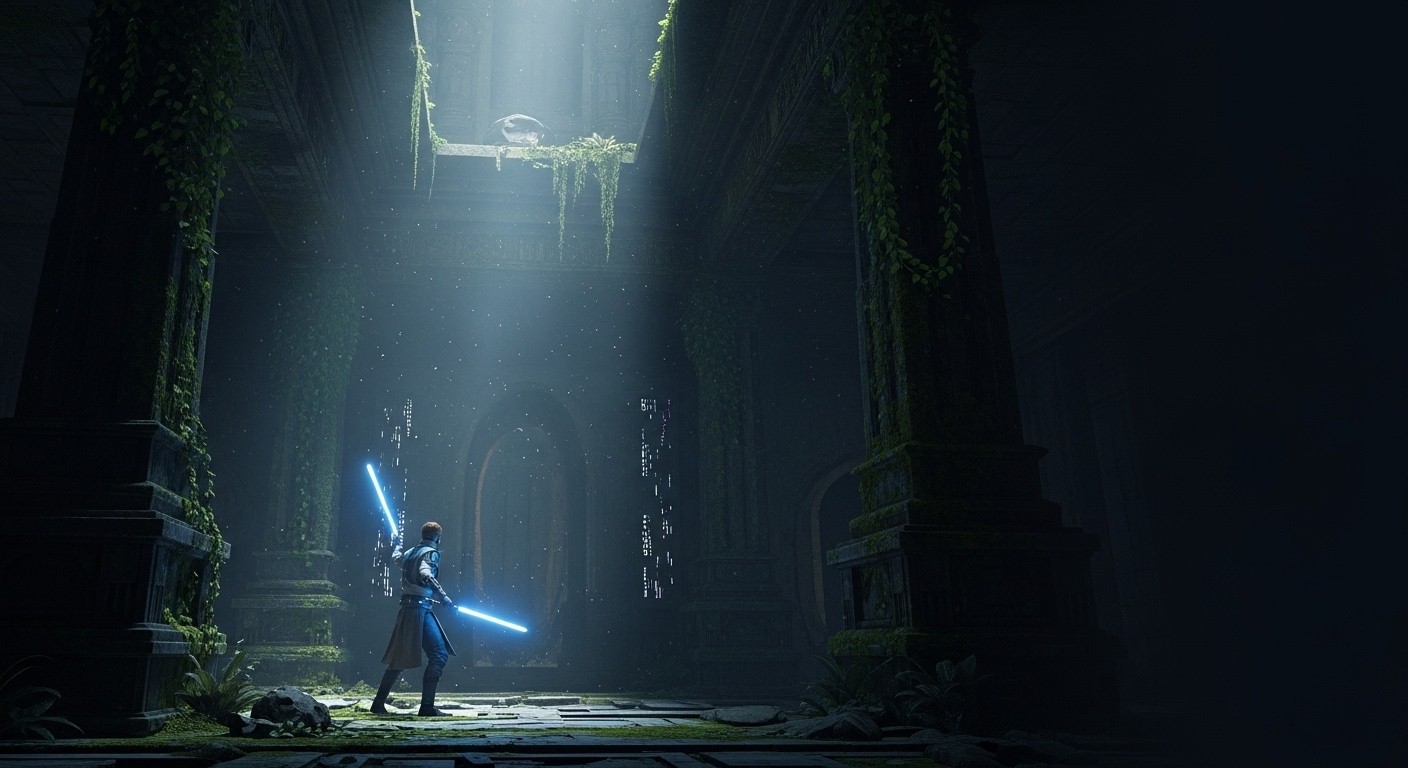
Star Wars Jedi: Fallen Order in VR: The Lightsaber Fantasy, Delivered
For as long as consumer VR has existed, the obvious thing everyone wanted was a real lightsaber. Not a rhythm baton, not a scripted quick-time event, but a proper Star Wars action-adventure where you hold the blade, swing it, parry with your own hands, and feel like a Jedi. Star Wars Jedi: Fallen Order gets closer than anything that came before it, not because it shipped with VR support, but because the modding community built a UEVR profile that drops the camera into Cal Kestis’s head and maps the combat to 6DOF motion controls. The result is the most complete lightsaber combat experience VR has had outside of bespoke native titles, running on top of one of the better Star Wars games of the past decade.
The Profile That Puts the Blade in Your Hand
This is a Framework Only route through Praydog’s Universal Unreal Engine VR mod, UEVR, which injects full stereoscopic VR with 6DOF head tracking into Unreal Engine 4 and 5 games. For Fallen Order, the base framework has been customized with a first-person profile and a 6DOF motion-combat profile that replaces the standard gamepad combat with controller-driven swings, parries, and blaster fire. You are no longer watching Cal from behind his shoulder; you are seeing the world from inside his helmet, with your own arms representing his.
The core files are on Nexus Mods: a “UEVR Profile 6DOF Motion Combat” entry and a separate first-person toggle mod. HeadsetVR also distributes early or alternate builds through their Patreon. Both routes require owning the base game on PC, running UEVR as the injection layer, and applying the profile on top. It is still a framework-based conversion, so it carries the usual UEVR dependencies: you need a PCVR setup, some patience with UEVR’s launcher and config, and a willingness to accept that the UI and some camera transitions were designed for a flat screen.
How the Motion Combat Feels
The first time you block a purge trooper’s strike by physically raising your blade, the whole premise of the game changes. Fallen Order’s Soulslike combat is built around timed parries, directional attacks, and stamina management. In the motion-control profile, those parries become literal arm movements. You swing the lightsaber with your controller, fire Cal’s blaster by aiming and pulling the trigger, and use the force through mapped gestures rather than button presses. It is not a 1:1 sword simulator, but it is far closer than the gamepad version ever was.
Because the base combat was tuned for animation windows and lock-on timing, the motion profile has quirks. Enemies still attack on the game’s own rhythms, so your physical parry has to meet the game’s idea of a parry rather than pure collision physics. Some attacks read better than others. The blaster, on the other hand, maps naturally: aim with your hand, shoot with your finger. That simple translation is enough to make every encounter feel more like a Jedi fight than a third-person action game with head tracking.
Head tracking does the heavy lifting for awareness. In first person, group fights become easier to read because you can glance around naturally, track off-screen enemies by turning your head, and judge distance by actual stereoscopic depth. The Soulslike camera, which can be claustrophobic on a monitor, becomes an asset in VR. Platforming and traversal are more mixed: wall-running and climbing still move Cal along predetermined paths, and some forced camera motions from the flat game can pull your view in ways VR stomachs notice. It is not unplayable, but you learn to brace for the scripted moments.
Performance and Stability
Fallen Order was already moderately demanding as a flat Unreal Engine 4 release. UEVR adds the usual VR rendering overhead, and the first-person profile pushes it harder because you are closer to the geometry, effects, and enemy models. A mid-range PC can run it, but a high-end card is the safer home for smooth 90Hz with reasonable supersampling. Budget rigs will need to drop settings and accept some reprojection.
UEVR itself provides the standard suite of rendering options: different projection modes, performance tweaks, and profile-specific overrides. Stability is good once the profile is loaded, but this is still an injected conversion. Menus occasionally render at odd depths, some UI elements float at screen-space distances, and the occasional flat-game camera override will remind you that the original title was never meant for a headset. None of it is severe enough to break the campaign; it is the kind of friction that framework-based VR players already expect.
The Scale of a Star Wars Galaxy
What sells the experience more than any individual mechanic is the sense of place. Fallen Order already had strong environmental art, from crashed Star Destroyers on Zeffo to the overgrown temples of Bogano. In first-person VR, those spaces become genuinely large. Standing at the foot of a half-buried destroyer, looking up at its hull from inside the world rather than from a floating camera behind a character model, gives the Star Wars fantasy a weight that flat screens flatten out. The same applies to the smaller moments: BD-1 chirping beside you, the hum of your lightsaber filling the audio space, the way enemy blades look when they are actually swinging at your face.
The audio design translates especially well. Fallen Order uses detailed positional sound, and proper headphones or headset audio make the hum of sabers, the snap of blasters, and the orchestral score feel anchored in the 3D space around you. Spatial audio was already a strength of the flat game; VR makes it central to the experience.
Where the Profile Still Shows
The motion-control profile is a community customization, not a native VR mode. That means no official support, future game patches could require profile updates, and the setup is not plug-and-play. You are installing UEVR, downloading the right profile, toggling first person, and tuning performance. This is a tinkerer’s route, not a store-bought VR edition.
The combat also inherits Soulslike timing. Motion parrying is satisfying, but it is still bound to the game’s underlying parry window. Players expecting Blade and Sorcery physics will be disappointed. Players expecting a meaningful step up from gamepad Fallen Order will not be. The campaign remains the same strong, linear-Metroidvania Star Wars story it always was; the VR profile does not add content, it changes how you inhabit it.
The Blade Is Finally Yours
Most UEVR games give you a headset view of a flat game with head tracking and maybe some controller tweaks. Fallen Order’s motion-combat profile does something rarer: it reimagines how the core action feels. The base game is already excellent, with tight combat, rewarding exploration, and a story that respects the source material without becoming fan fiction. The custom profile does not have to carry a weak game; it gets to elevate a strong one. That combination, a genuinely good Star Wars action-adventure plus real first-person lightsaber combat, is why this sits in the top tier of framework VR experiences.
It is for the VR player who already owns the game, is comfortable with UEVR, and wants the lightsaber fantasy in something deeper than an arena fighter. It is not for someone who wants a five-minute install or a nausea-free platformer. For the right audience, though, this is exactly the Star Wars VR experience the platform has been waiting for: not a diorama, not a rhythm game, but a full Jedi campaign where the blade is finally yours.