
Microsoft Flight Simulator VR: The World at Six Thousand Feet
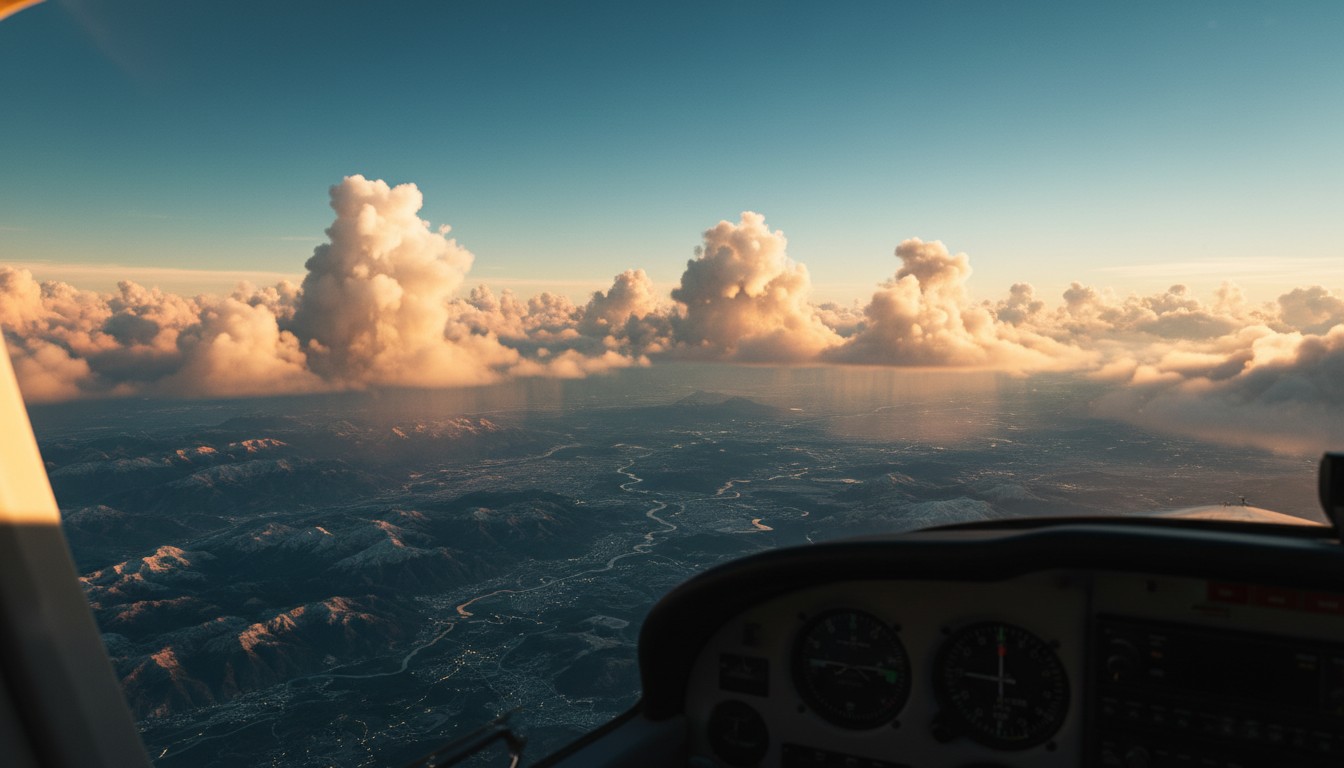
The first time you break through cloud cover and see your actual house rendered below, something shifts. Not metaphorically — physically. Your stomach does that little drop, the same one you get looking over a balcony railing, because some primitive part of your brain has decided this is real. You’re in a virtual cockpit above photorealistic terrain built from satellite data and Azure AI, and your lizard brain is convinced you are actually flying.
That is Microsoft Flight Simulator in VR. Nothing else in the medium replicates it. And nothing else demands so much to get there.
What This VR Option Actually Is
Microsoft Flight Simulator’s VR support is an official hybrid — native VR added to an existing flat game, maintained first-party by Asobo Studio and Microsoft. It is not a mod, not an injection driver, not community-sustained. The PCVR mode arrived in late 2020 alongside the game’s launch, and PSVR2 support followed in early 2026 for the 2024 edition, bringing the experience to console players who previously could only watch from the sidelines.
The same simulation powers both versions: real-time weather, air traffic, and a streamed world built from Bing Maps photogrammetry. In VR, that world wraps around you. The cockpit is no longer a framed picture — it is a space you occupy, with gauges you can lean toward and windows you can press your face against. The entire globe is your playground, viewed through six inches of virtual acrylic.
In the Cockpit
Where MSFS VR shines brightest is cockpit interaction. On PSVR2, the Sense controllers let you physically reach out and flip switches, turn knobs, and press buttons in three-dimensional space. In lighter aircraft with simpler panels, this feels natural — almost magical. The tooltip system guides your hand, and the haptic feedback from the Sense controllers gives weight to each interaction. For the first twenty minutes, you will toggle every switch you can reach just because you can.
On PCVR, motion controller support exists but has been less reliable. Virtual yokes feel oversensitive, and manipulating multiple throttle levers simultaneously is frustrating. Many aircraft — especially those with physical yokes — lack proper interactive flight controls with VR controllers. Stick-equipped aircraft fare better, but inconsistency is the norm.
Virtually every experienced simmer will tell you: you will not want to fly with motion controllers for long. A HOTAS setup offers the precision VR controllers simply cannot match. The sweet spot is a HOTAS for flight control and motion controllers — or a mouse — for cockpit management. It is a hybrid input model, and it is the only practical way to manage the simulation’s depth without cursing at virtual knobs.
The Visual Reality
When performance holds — stable framerate, clear skies, good lighting — Microsoft Flight Simulator in VR is breathtaking. Photogrammetry cities are dizzying in detail. Flying over Manhattan at dusk with real-world traffic below feels less like a game and more like stealing a private jet. Cloud formations that look painterly on a flatscreen become volumetric structures you weave through. Mountain ranges that appear as textured polygons become geological facts that trigger vertigo.
But the stars do not always align.
On PSVR2, even after optimization passes, the image can appear soft. Foveated rendering and dynamic resolution scaling sacrifice sharpness for stability. Aliasing shimmers on distant terrain. Text on glass cockpit displays is readable but rarely crisp. The immersion comes from presence and scale, not pixel-perfect clarity. If you notice every jaggy edge, this will bother you. If you gasp when sunlight breaks through cloud cover at altitude, you will forgive it.
On PCVR, the visual ceiling is higher — provided you have the hardware. This is not a “turn some settings down” situation. MSFS is among the most demanding applications in VR, full stop. Achieving stable framerates requires a high-end GPU, careful render scaling, and patience. Stutters over dense urban areas are common. Clouds remain a notorious performance anchor. You will spend time in menus before you spend time in clouds.
Comfort and Stability
The good news: because you are seated in a cockpit with no artificial locomotion, motion sickness is minimal for most people. The bad news: an unstable framerate will ruin your session anyway. Turbulence, high-G maneuvers, and rapid rolls can absolutely induce discomfort if you are new to VR or sensitive to vestibular mismatch. And unlike a roomscale game where a stutter is annoying, a stutter in a flight sim can trigger nausea because your inner ear expects the motion to continue smoothly.
On PSVR2, post-update stability has improved notably — one community estimate suggested roughly thirty percent stutter reduction after optimization passes — but dense scenery at low altitude still pushes the hardware. On PCVR, stability is entirely a function of your build and your willingness to tweak.
Who This Is For
Microsoft Flight Simulator VR is for the patient enthusiast who owns the right hardware and understands that the journey includes optimization. If you have a high-end PC with a recent GPU, a quality PCVR headset, and either a HOTAS or the willingness to learn mouse-and-HOTAS hybrid input, the PCVR version offers the most flexible and visually capable experience. If you own a PS5 and PSVR2 and want the most accessible path to cockpit presence without driver conflicts, base stations, or configuration files, the console version is genuinely impressive — just know that “accessible” here still means “demanding.”
This is not for the casual VR gamer looking for a pick-up-and-play thrill. The installation alone is substantial, the learning curve is real, and the performance demands will humble hardware you thought was powerful. It is also not for someone expecting a polished, VR-native interface — the menus are still flatscreen UI wrapped around your head, and the reliance on physical peripherals for serious flight is unavoidable.
But if you have ever looked out an airplane window and wished you could reach out and touch the clouds, there is still nothing else like it.