
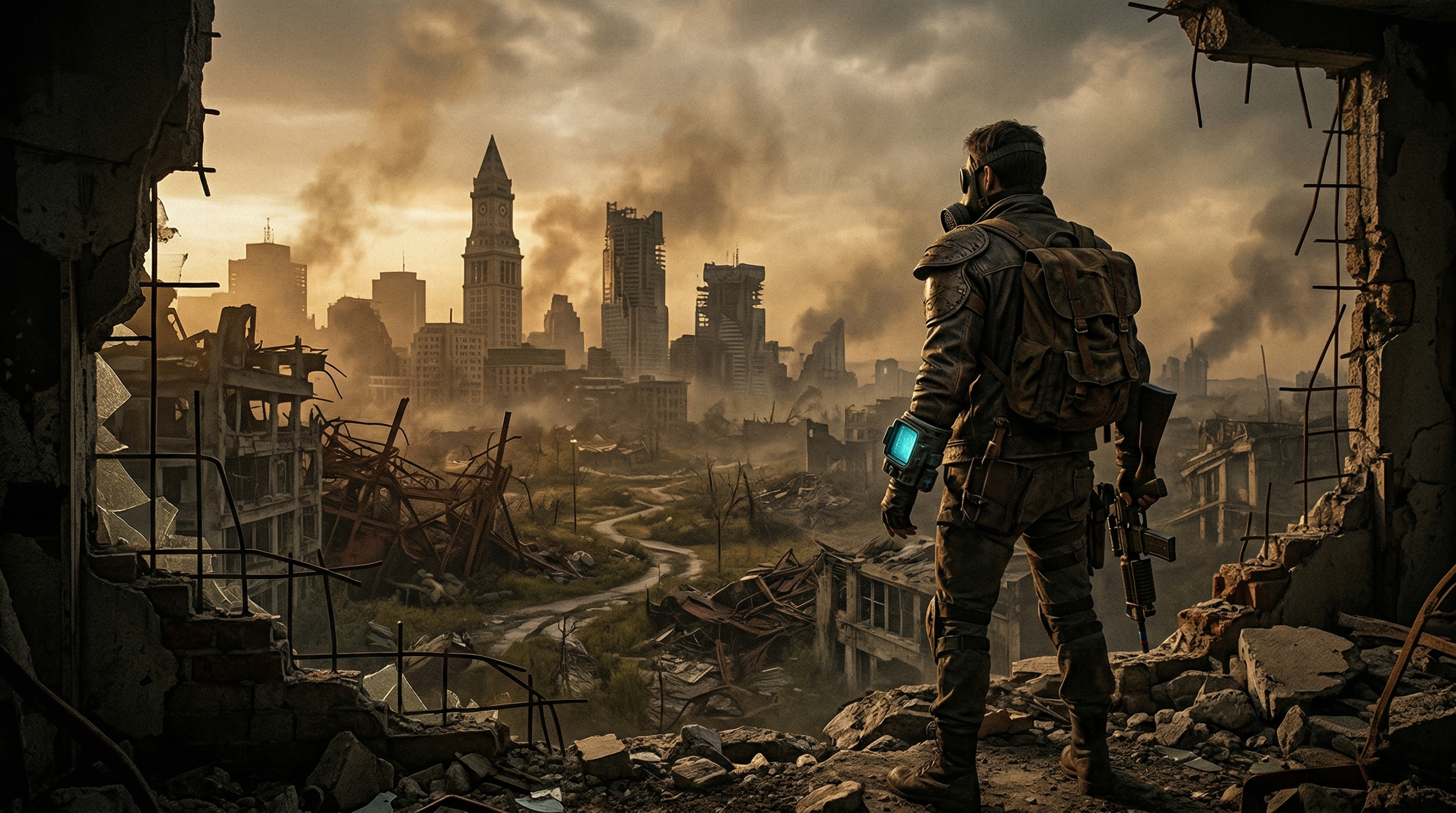
Standing on the roof of a collapsed Boston building, the Commonwealth stretched out in every direction, radioactive and ugly and weirdly beautiful. Dogmeat sat next to me, probably clipping through a wall. I raised my left wrist, the Pip-Boy swung into view, and for a second I forgot I was wearing a headset that smelled like my own sweat. Then I tried to loot a desk drawer and accidentally clicked a molotov into my neighbor’s face. That’s Fallout 4 VR in one sentence: genuinely transportive, constantly reminding you it was never built for this.
Bethesda didn’t just dip a toe into VR here. The official standalone PCVR port — launched December 4, 2017 — drops the entire base game into a headset: the whole Commonwealth, the main quest, the factions, settlements, crafting, power armor, radiation storms. Not a demo, not a side mode, not a mod. Fallout 4, rebuilt with native motion controls and sold as its own VR product. That alone made it one of the most ambitious VR releases of 2017, and the fact that it works at all still feels faintly miraculous. The fact that it works well takes some help.
The first hour is a parade of warning signs. The main menu is just the flat menu floating in black space. The “War never changes” intro plays on a virtual screen. Character creation has you standing in front of a mirror, and if you step backward you can walk straight through the wall. None of this ruins anything, but it sets the tone: this is a port, not a ground-up VR game, and the seams are everywhere.
Once you’re in the wasteland, though, the scale hits. The Commonwealth is enormous, and VR makes that enormousness physical. Walking out of Vault 111 and seeing the ruined world roll away from you is the kind of moment that justifies owning a headset. Ducking behind a car while raiders pin you down, physically leaning around corners, raising a rifle with both hands — combat has a weight and presence that flat Fallout never touches. V.A.T.S. has been rebuilt as slow-motion bullet time instead of the cinematic camera cuts from the flat game, which keeps you in first person and turns every encounter into a panic-fueled shooting gallery. Melee weapons feel better than they have any right to, and climbing into power armor genuinely feels like climbing into power armor.
The controls are where the ambition starts to fight back. Fallout 4 VR was designed around HTC Vive wands, and those wands are not up to the task of mapping a sprawling RPG. Movement is on the left touchpad, weapon selection and snap turning on the right, Pip-Boy on a center click, interactions on grip, attacks on trigger. Some buttons do different things depending on whether you tap or hold them. I never got through a play session without accidentally throwing a grenade, opening a conversation, or picking up a coffee mug I didn’t want. The lack of analog sticks means smooth turning isn’t an option — only snap turning — and workshop mode forces you back into teleportation even if you’re using direct movement everywhere else. It’s functional, but you spend a lot of time negotiating with the input scheme rather than forgetting about it.
The Pip-Boy is the perfect symbol of the port’s double-edged nature. Lifting your left wrist and turning it like a watch to read your inventory is genuinely cool the first twenty times. After that, the charm wears thin and the ergonomics don’t. Bethesda added an option to lock it to your view so you’re not constantly raising your arm, which I enabled immediately. The flat 2D menus are readable enough but never feel designed for VR — scrolling through long inventory lists while a deathclaw waits politely for you to finish is absurd in the best and worst ways.
Performance is the other big asterisk. This was a demanding flat game, and VR adds overhead on top of an engine that already struggles in dense areas. At launch, reviewers reported shadow flickering, texture pop-in, blurriness, scaling problems, and outright stutters in places like Vault 111 and downtown Boston. Bethesda’s January 2018 patch was the turning point: it added scope support, improved V.A.T.S., added world-scale and performance options, and fixed the worst rendering bugs. After that patch, the port became properly playable. But it never became clean. Dense areas still push hardware hard, and if you’re going to mod the game — which you probably should — you’ll want a high-end PC to keep frame times steady.
Then there’s the DLC problem. The flat version’s add-ons were not included at launch, which felt bizarre next to Skyrim VR shipping with all its DLC. Modders have since bridged that gap, and community fixes address the remaining VR-specific bugs, missing textures, and weird edge cases. Out of the box, you’re getting the base game only. To get the full Fallout 4 experience in VR, you need to engage with mods, and that raises the setup burden from “install and play” to “install, tweak, patch, and then play.”
The comfort picture is mixed in the expected ways. Teleportation is there for anyone sensitive to motion. Direct movement includes a comfort vignette and tunneling options. But smooth locomotion across a huge open world is inherently intense, snap turning is the only option, and the frequent combat encounters mean the camera is rarely still. I wouldn’t hand this to a VR newcomer as their first smooth-locomotion game. For anyone with some VR legs, it’s manageable, but this is not a gentle experience.
So why does it still land? Because the world is worth inhabiting. Fallout 4’s Commonwealth is one of the most thoroughly realized RPG spaces of its generation, and VR strips away the screen between you and it. Walking into Diamond City for the first time, looking up at the stands, listening to the radio crackle out of your wrist — that’s the thing. The jank doesn’t disappear, but it competes with the feeling of being somewhere. After a few hours, I stopped noticing the control friction as much and started noticing the sunset over the glowing sea.
This is where the vanilla-vs-modded distinction matters. The unmodded release is a foundation: a staggering world wrapped in a rough port, with control friction, visual compromises, and genuine stability risks. The modded release is the structure the community built on top of it — sharpened visuals, stable framerates, fixed interactions, DLC support, and quality-of-life improvements that transform the experience from “ambitious but exhausting” into “one of the best things you can do in a headset.” The modded state is not a bonus for enthusiasts. It is how virtually everyone actually plays Fallout 4 VR, and it deserves to be treated as the baseline reality.
For Fallout fans with the hardware and the patience, this is still one of the most compelling reasons to own a PCVR headset. For everyone else, the flat version is right there, cheaper and less likely to make you accidentally set a friendly NPC on fire. But if you’re willing to meet it halfway — powerful PC, community fixes, accepted jank — the Commonwealth in VR is vast, immersive, and deeply rewarding. Borderline essential.