
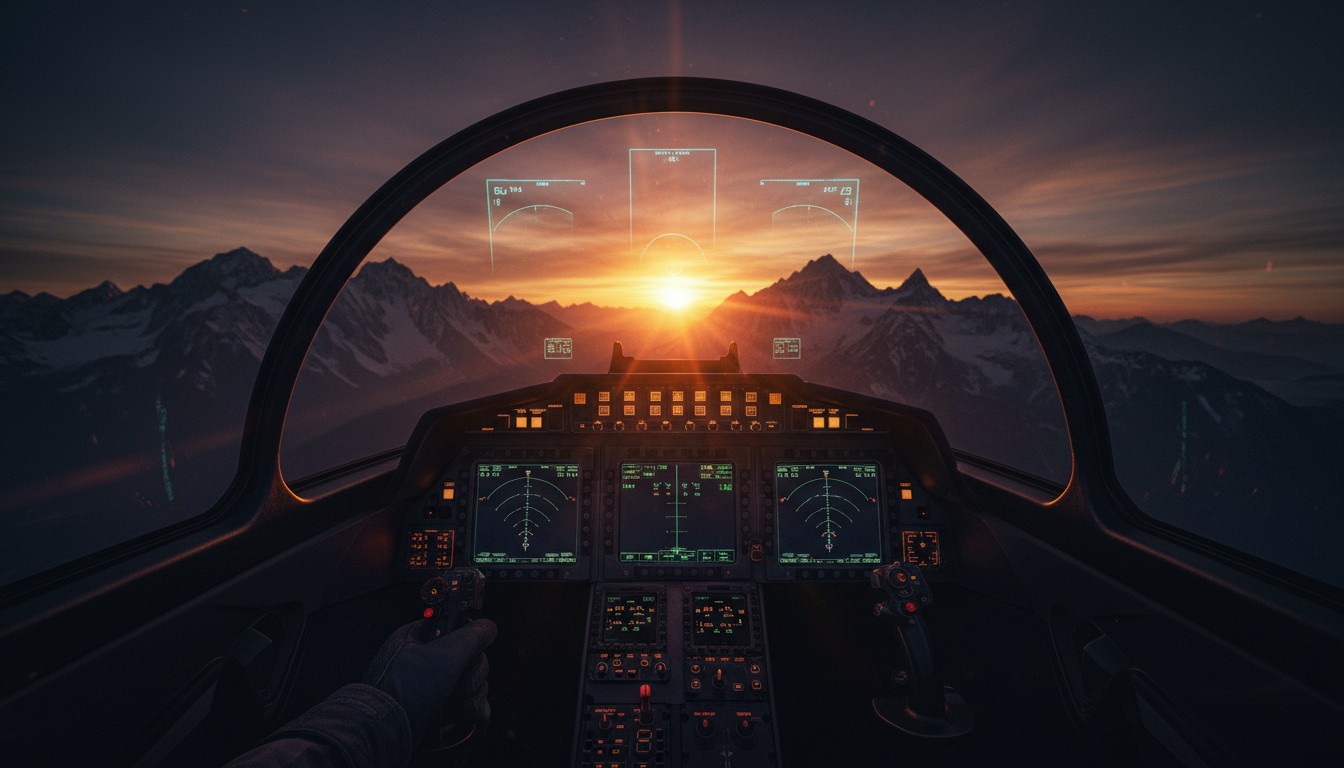
The first time I strapped into an F/A-18 cockpit in DCS World, I just sat there for a minute, looking around. The ejection seat handle was right there, inches from my knee. The HUD was floating exactly where it should be. I leaned forward, and the instrument panel came closer. I leaned back, and I could see the canopy rails behind me. This is what people mean when they say VR transforms a game. In DCS, it transforms the whole genre.
DCS World — Digital Combat Simulator — is the deepest, most obsessive military flight simulation available. It’s free-to-play at the base level, which gets you a Russian attack jet and a World War II trainer. Everything else is sold as premium modules: F-16s, F/A-18s, A-10Cs, Apache helicopters, full-fidelity cockpits with every switch modeled, every system simulated. Eagle Dynamics has been building this thing since 2008, and in 2015 they added native VR support through the OpenXR standard. This is not a community mod or an injection driver hack. It is a fully integrated mode that transforms the simulator from a demanding flatscreen hobby into an extraordinarily demanding but visually unparalleled cockpit experience.
Here’s the thing, though: “works” is a loaded word with DCS in VR.
The Setup Reality
Getting DCS World to run in VR is not a matter of toggling a switch and jumping in. It is a technical undertaking that assumes you are comfortable with your PC’s inner workings. The simulator is notoriously CPU and GPU hungry, and VR mode amplifies that demand significantly. Community consensus is clear: achieving a smooth, stable experience requires a high-end system and a willingness to spend hours—if not days—tweaking settings across the game, your GPU control panel, and your headset’s software.
Before March 2023, running DCS in a headset was an exercise in frustration. The sim was largely single-threaded, which meant your CPU was choking on complex missions while your GPU begged for more work. Players with high-end rigs were getting 30 fps in VR, relying on reprojection and motion smoothing just to keep their lunch down. It was the kind of experience that made you question why you spent four figures on a PC.
Then Eagle Dynamics shipped multithreading support in the Open Beta on March 10, 2023. That was the inflection point. Suddenly the CPU bottleneck cracked open. Frame rates climbed. VR became genuinely playable on mid-range hardware, not just the top one percent. Later terrain engine optimizations reportedly added another meaningful performance boost in VR specifically. The difference between pre-2023 DCS VR and post-2023 DCS VR is the difference between “technically functional” and “actually enjoyable.”
Even now, this thing eats hardware for breakfast. DCS in VR is a heavy demand experience, full stop. You will spend time in the settings menu. You will make compromises. DLSS helps if you’re on an RTX 20-series or newer, and the standalone version performs better than launching through SteamVR. But if you’re expecting to max everything out and hold a stable 90 fps, you need to recalibrate. This is a sim where you tune for playability, not for pretty screenshots.
The most critical first step is ensuring you are running through the OpenXR runtime rather than SteamVR. OpenXR minimizes software overhead, and for most modern headsets, it provides a cleaner, more performant pipeline. From there, the optimization rabbit hole goes deep. In-game Pixel Density is the single biggest performance lever, but it must be balanced against headset render scaling to avoid double-dipping on resolution costs. Shadows, water quality, and cloud density are serial offenders that drag framerates down, especially in complex multiplayer missions. Many pilots recommend disabling effects like depth of field, lens flare, and motion blur entirely, as they add visual noise in VR without improving clarity. The process is iterative, frustrating, and absolutely mandatory. DCS in VR on default settings is, by most accounts, a slideshow.
In the Cockpit
Once you have wrestled the performance into submission, the reward is immense. The sense of scale in a DCS cockpit is unlike anything achievable on a monitor. Instruments that look like flat textures on a screen become readable, physical objects you can lean into. Situational awareness skyrockets because you are no longer bound to a hat switch for looking around; you simply turn your head to check your six, or crane your neck to spot that bandit at your two o’clock high. Dogfights become spatial puzzles solved with natural head movement rather than digital camera controls.
The cockpit presence is where DCS VR justifies every frame drop. Leaning into the turn to track a bandit. Looking over your shoulder to check six. Glancing down at the MFDs without reaching for a keybind. The 1:1 scale makes the aircraft feel physically real in a way that no monitor setup can replicate. Formation flying, aerial refueling, carrier landings — these are all meaningfully easier with depth perception and natural head movement.
However, interacting with that cockpit is where the VR implementation shows its seams. While you can use VR motion controllers to flip switches and manipulate buttons, the vast majority of serious pilots rely on a physical HOTAS (Hands-On Throttle And Stick) setup and a mouse for fine-tuned cockpit management. The complexity of a modern combat aircraft’s systems—radar, countermeasures, targeting pods, navigation—simply exceeds what VR controllers can comfortably map. You will not be grabbing a virtual stick and physically wrestling the plane. You will be seated in a chair, holding a real joystick and throttle, while the headset provides the view. It is a hybrid input model, and it is the only practical way to manage the simulation’s depth.
Comfort is highly dependent on the user and the stability of the experience. Because you are seated in a cockpit, there is no artificial locomotion to cause discomfort, but high-G maneuvers, rapid rolls, and turbulence can absolutely induce motion sickness in those without established “VR legs.” More importantly, an unstable framerate is a guaranteed ticket to nausea. A locked 72 or 90 frames per second is the baseline for comfort; anything less, or any stuttering during a busy scene, can ruin a session.
The Visual Compromise
Even on powerful hardware, DCS World in VR often forces you to choose between fidelity and performance. To maintain that critical stable framerate, many users run with reduced visibility range, lower object detail, and aggressive Level-of-Detail scaling. The result is that the world can look stunning from the cockpit but reveal its compromises at a distance—shimmering terrain, simplified ground units, or blurry targets that make identification harder than it would be on a flatscreen. Clouds, while visually impressive in recent updates, remain a notorious performance anchor. You are often flying in a visually degraded version of the simulator in exchange for the privilege of being inside it. For many, it is a trade worth making. For some, it is a constant reminder of the hardware ceiling.
The Module Economy
The base game is free to download and includes two aircraft and a map, but the full, staggering depth of the simulator is locked behind individually purchased high-fidelity modules—planes, helicopters, and terrain maps that can cost as much as a full AAA game each. A full-fidelity aircraft module typically runs $50 to $80. Maps are additional. Campaigns are additional. Building a meaningful collection runs into hundreds of dollars quickly. Eagle Dynamics is upfront about this, and there is a generous trial program, but make no mistake: the true DCS experience is a significant investment in both time and money.
The free Su-25T and TF-51D are enough to evaluate whether the VR experience works for you, but they’re not enough to live in. If you try DCS for free and find yourself craving more, budget accordingly.
The Bottom Line
If you’re the right person, DCS World in VR is one of the most compelling experiences in the medium. There is nothing else that combines this level of systems fidelity with genuine cockpit presence. Microsoft Flight Simulator has the world, but not the combat. VTOL VR has the native VR design and motion controls, but not the depth. DCS sits in its own category — a hardcore military simulation that happens to support VR, and happens to be transformed by it.
If you are a casual VR gamer looking for a pick-up-and-play aerial combat thrill, this is not your title. If you are unwilling to tinker with OpenXR runtimes, GPU settings, and in-game configuration files, you will spend more time troubleshooting than flying. And if you are expecting a seamless, polished VR-native interface, the reliance on physical peripherals and mouse-driven cockpit interaction will feel archaic. This is a simulation for hobbyists who already understand that the setup is part of the hobby. For them, the view from the cockpit is worth every hour of tweaking.