
VRboy: Virtual Boy on Quest
The Virtual Boy was Nintendo's failed 1995 VR console—a red monochrome nightmare that caused headaches and sold fewer than 800,000 units. VRboy is a free, open-source emulator that finally does justice to the hardware's promise: proper stereoscopic VR on Meta Quest headsets.
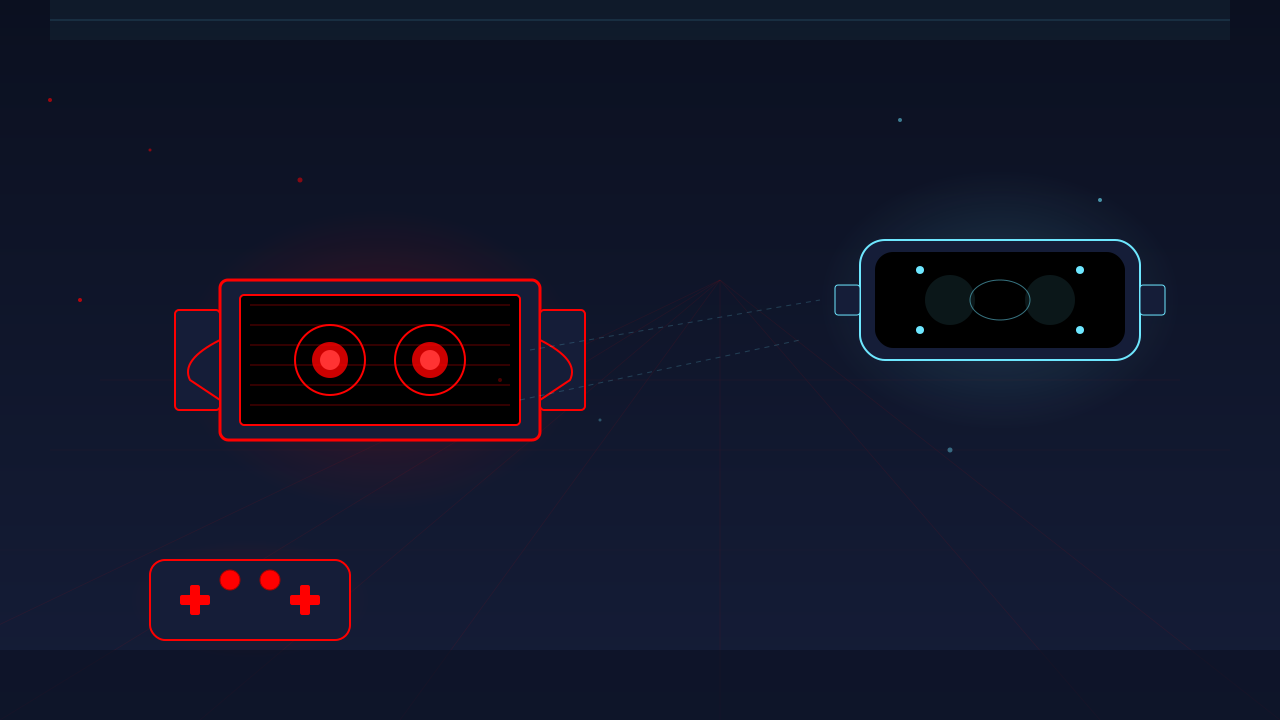
VRboy: Virtual Boy Finally Gets the VR Experience It Promised
Nintendo’s Virtual Boy was supposed to be the future. Instead, it became a cautionary tale—a headset so uncomfortable that players dreaded putting it on. But buried beneath that catastrophic hardware design was a genuine innovation: stereoscopic 3D gaming, decades ahead of its time.
VRboy, a free open-source emulator built for Meta Quest, does what Nintendo couldn’t. It delivers the Virtual Boy software library through proper OpenXR stereo rendering, complete with 6DOF positioning and none of the physical misery. For the first time, you can experience these games as they were designed to be played—without the headaches.
The pitch: Authentic Virtual Boy emulation with true stereoscopic depth, two viewing modes, and calibration tools that let you dial in the experience. Quest-native, controller-friendly, free.
The catch: Sideloading required. You’ll need your own ROMs. And the games themselves? They’re historical curiosities—worth experiencing, but not hidden masterpieces.
Why the Virtual Boy Matters
Understanding VRboy requires understanding what Nintendo attempted in 1995. The Virtual Boy launched as the first home console with genuine stereoscopic 3D, using parallax barrier technology to create depth perception without glasses. This was revolutionary.
The execution, however, was disastrous:
- A heavy visor mounted on an immovable stand forced players into awkward poses
- The red monochrome display (inspired by “proven safe” LED technology) limited visual fidelity
- Neck strain and headaches became synonymous with the brand
- Only 800,000 units sold before Nintendo killed it in late 1996
- The entire library comprises just 22 games
The hardware got the concept right—it presented separate images to each eye for true depth perception. But the physical design made extended play untenable. Players weren’t experiencing VR; they were enduring it.
VRboy preserves what worked and discards what failed. The stereoscopic depth system remains, rendered through modern OpenXR. The neck-cramping visor becomes a lightweight Quest. The stationary stand becomes 6DOF freedom.
Technical Architecture
VRboy isn’t a wrapper or a flat emulator shoehorned into VR. It’s built on the Beetle VB core—the same battle-tested emulation used in RetroArch’s mednafen implementation—with a native Android OpenXR renderer designed from the ground up for Quest hardware.
| Component | Technology |
|---|---|
| Emulation Core | Beetle VB (mednafen/libretro) |
| Rendering | OpenXR stereo renderer with GLES fallback |
| Audio | AAudio output |
| Input | Quest controller mapping to Virtual Boy controls |
| Platform | Native Android (Quest 2+) |
The stereo rendering matters. VRboy presents separate left and right eye images with proper separation—the same technique the original hardware used, but without the parallax barrier flicker and positioning constraints. You’re getting what the Virtual Boy games were built to display, just through hardware that doesn’t hurt.
View Modes: Two Ways to Play
The original Virtual Boy locked you in place. VRboy gives you options.
Anchored Mode (Default)
The Virtual Boy display becomes a fixed screen in world space. You can walk around it, approach it from different angles, and treat it like a physical object in your room. This is 6DOF positioning—the display stays where you put it while you move freely.
Navigation:
- Hold Grip + Left Stick: Strafe, forward/back movement
- Hold Grip + Right Stick: Adjust look yaw/pitch
- Hold Grip + Triggers: Move up/down vertically
- Grip + A: Reset your position relative to the screen
- L3 + R3: Recenter the world anchor entirely
This mode is transformative. Wario Land’s parallax layers gain genuine depth when you can approach the screen and examine how the foreground separates from the background. Red Alarm’s wireframe corridors become architectural spaces rather than flat abstractions.
Classic Mode (Head-Locked)
The display follows your head like a floating television. This mirrors traditional flat-screen emulation but retains the stereoscopic depth the Virtual Boy’s games require. It’s the comfortable “sit back and play” option.
Press B while the info window is visible to swap between modes.
Controls
The control scheme maps the Virtual Boy’s unusual layout to Quest controllers intelligently. The original system used two d-pads (one per controller) for games like Teleroboxer; VRboy consolidates this into intuitive Quest mappings.
Standard Input
| Quest Input | Virtual Boy Action |
|---|---|
| A | VB A button |
| B | VB B button |
| Y | Start |
| X | Select |
| L1/R1 + Triggers | VB L/R (shoulder buttons) |
| Left Stick / D-pad | Movement |
| R3 | Toggle info window |
| L3 | Open ROM picker (when info window hidden) |
Calibration Controls
Hold L + R together to enter calibration mode:
- Up/Down: Adjust screen size
- Left/Right: Adjust stereo convergence (Classic mode only)
- A: Reset to defaults
Calibration matters more here than in flat emulation. Because you’re viewing at depth, screen size and convergence adjustments affect how the 3D effect reads. Larger screens increase the sense of scale; convergence tuning can reduce eye strain for some viewers.
The Games Worth Playing
Twenty-two games released for the Virtual Boy. Most were forgettable. A few deserve your time.
Wario Land is the essential title. It’s a full-length platformer designed around depth perception—enemies emerge from background layers, platforms exist at multiple depths, and the parallax scrolling creates genuine spatial relationships. This remains the best argument for the Virtual Boy concept.
Red Alarm showcases 3D most dramatically. The wireframe graphics become actual architecture when rendered in stereo. You’re flying through polygonal spaces that have real depth—something flat screenshots can’t convey.
Teleroboxer translates well to the VR perspective. A first-person boxing game where opponents attack from different depths, it benefits from the immersive display.
Mario’s Tennis and Mario Clash bring Nintendo’s design polish, though they’re simpler experiences. Galactic Pinball is competent but not transformative.
The emulator supports any properly formatted .vb or .vboy ROM. No specific naming conventions required.
Setup and Installation
VRboy requires sideloading—this isn’t in the official Quest store.
Prerequisites
- Meta Quest 2, 3, or Pro (Quest 1 is not supported)
- Developer mode enabled
- Virtual Boy ROMs (legally obtained, extracted from your own cartridges)
- ADB familiarity or SideQuest installed
Installation Steps
- Download the latest release APK from the VRboy GitHub releases page
- Enable developer mode on your Quest through the Meta mobile app
- Install via your preferred method:
adb install -r vrboy-1.0.2-release.apk - Launch from App Library → Unknown Sources
Adding ROMs
The in-app ROM picker is straightforward: press L3, select your .vb or .vboy file, and you’re playing. No directory structure required.
For ADB push:
adb push "Wario Land.vb" /sdcard/Download/test.vbVRboy will probe fallback paths automatically on startup.
For Developers
Building from source requires:
- JDK 17
- Android SDK Platform 35
- NDK 26.1.10909125
- CMake 3.22.1
Clone with submodules:
git clone --recurse-submodules https://github.com/Keitark/VRboy.gitThe project is MIT-licensed (application code) with GPL-2.0 for the Beetle VB core. Development is active, with v1.0.2 reaching stable status in February 2026. Ongoing work includes save states, per-ROM configuration, and automated CI/CD builds.
Alternatives and Context
Your Virtual Boy options are limited:
| Option | Platform | Experience | Cost |
|---|---|---|---|
| VRboy | Quest native | True stereoscopic VR, 6DOF | Free |
| Mednafen/RetroArch | Desktop | Flat emulation, 2D screen | Free |
| Original Hardware | Physical | Authentic, physically uncomfortable | $150-300+ |
Emulation on desktop delivers accurate software execution but defeats the purpose—you’re viewing stereoscopic games on a flat display. Original hardware provides authenticity at the cost of comfort. VRboy is unique: it runs Virtual Boy software through a proper stereoscopic renderer, in an environment that doesn’t punish your body.
The Verdict
Tier: B+
Game Quality: C+
The Virtual Boy library is historically significant but limited. Wario Land and Red Alarm demonstrate genuine creativity with depth-based gameplay, but the small catalog and dated mechanics reflect why the platform failed. These are museum pieces—interesting, occasionally fun, but not essential.
VR Implementation: A-
VRboy accomplishes something rare in emulation: it improves on original hardware. The OpenXR integration is native and proper. 6DOF movement in Anchored mode transforms the experience—you’re not stuck in Nintendo’s awkward fixed-position nightmare. Calibration tools add genuine utility. This is how VR-native platforms should be emulated: preserve the software, replace the hardware.
Recommendation: Worth installing for emulation enthusiasts and anyone curious about gaming history. The games themselves won’t sustain long sessions, but VRboy delivers exactly what the Virtual Boy promised decades ago: a stereoscopic 3D gaming experience that’s actually comfortable.
Technical Summary
| Aspect | Details |
|---|---|
| Price | Free, open-source (MIT + GPL-2.0) |
| Platform | Meta Quest 2, 3, Pro |
| Core | Beetle VB (mednafen/libretro) |
| Display Modes | Anchored (6DOF), Classic (head-locked) |
| Visuals | Red monochrome (hardware-authentic) |
| ROM Support | .vb, .vboy |
| Status | Stable (v1.0.2), active development |
Resources
- GitHub Repository: https://github.com/Keitark/VRboy
- Releases: https://github.com/Keitark/VRboy/releases
- Issue Tracker: https://github.com/Keitark/VRboy/issues
Last Verified: March 2026