
EmuVR: Your Headset Is Now a 90s Bedroom, and It's Free
A virtual room where you play retro games on CRT TVs — but the setup is real work, and not every system works.
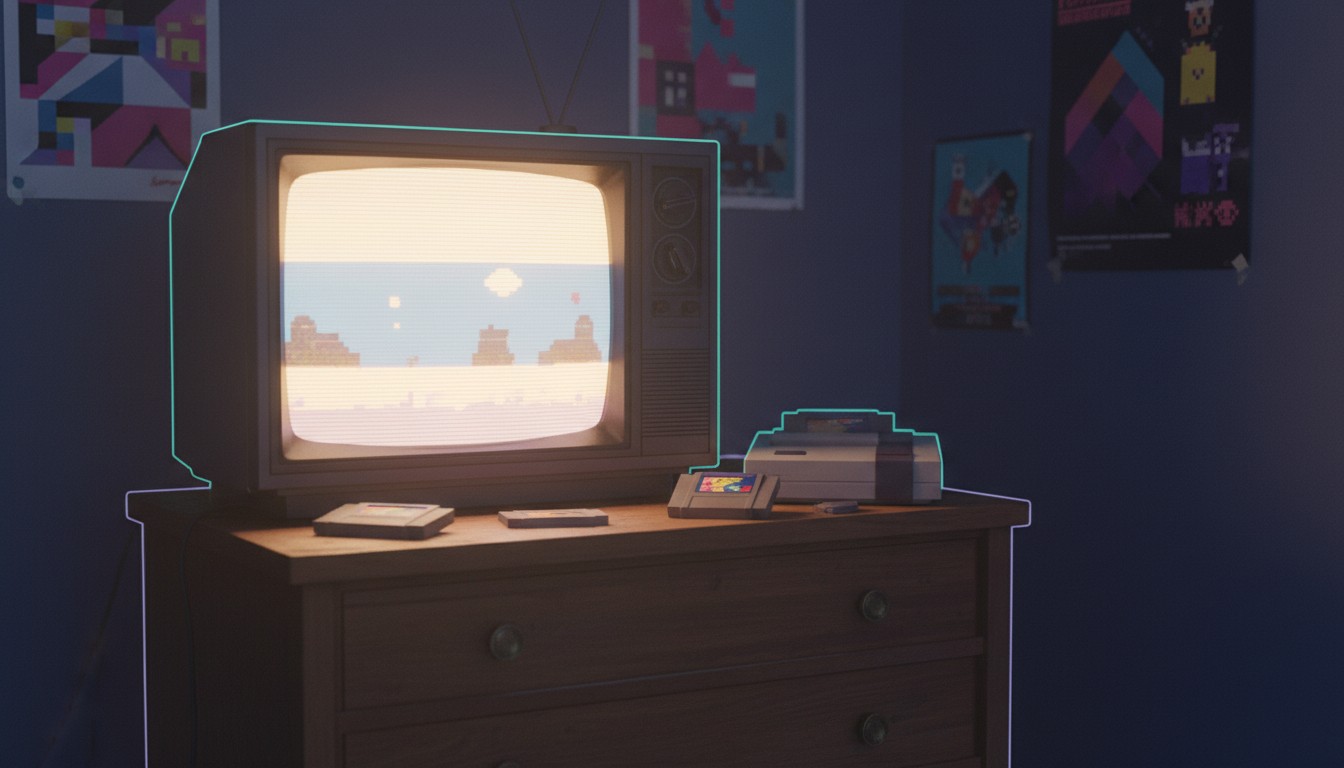
The first time you see it, you forget you’re wearing a headset. You’re standing in a messy bedroom. Posters on the walls. A CRT TV on a dresser. A cardboard box under the bed stuffed with loose cartridges. You walk over, pick up a dusty Super Nintendo cart, blow on it out of muscle memory, and slot it into the console. The power LED clicks on. The TV hums to life. Super Mario World flickers onto the screen with real scanlines and that warm CRT glow.
That’s EmuVR. And it’s completely free.
Here’s the thing, though: that moment doesn’t happen in the first ten minutes. It happens after you’ve done some actual work.
EmuVR is a PCVR application that turns your headset into a virtual retro gaming room. It doesn’t emulate games itself — it wraps around RetroArch and its libretro cores, giving you a 3D space where your ROM collection becomes physical objects you can hold, inspect, and play on virtual televisions. The developer describes it as preserving not just the games, but the environment and feelings of that era. That’s not marketing fluff. The physical ritual — grabbing a cartridge, opening the case, inserting it, connecting AV cables, turning on the TV — is the whole point.
What You Actually Get
EmuVR supports over 70 systems through RetroArch, from the NES and Sega Genesis up through the Nintendo 64, PlayStation, PlayStation 2, GameCube, Wii, Dreamcast, and Saturn. Handhelds like the Game Boy and Game Boy Advance render on the TV screen rather than as emulated portable devices. You get arcade cabinets via MAME, DOS games, Commodore systems, and even niche platforms like the Neo Geo Pocket and Virtual Boy. The developer also added support for playing videos and music in the room, plus streaming 80s–90s TV channels. Wii U is possible too, but through a window-capture workaround with standalone emulators like Cemu rather than native RetroArch cores.
The virtual room itself is the star. You can plaster your own images as posters on the walls, change the bedspread, scatter magazines on the floor, and organize (or disorganize) your game collection on shelves, the bed, or just throw cartridges wherever. Multiple CRT and LCD screens can run simultaneously, and each one replicates the look of real display technology — shadow mask, dot mask, aperture grille, the works. You can look close and see individual pixels. The light gun support is a genuine standout: Duck Hunt and Time Crisis actually work because your VR controller is the light gun, complete with calibration offsets and reload mechanics. The developer even added a “gunslinger mode” where you spin the gun with the grip buttons.
Netplay exists too — friends can join your room in VR or desktop mode, take turns, pass controllers, or play split-screen light gun games together. Nobody else needs a headset to join. That’s a genuinely thoughtful inclusion.
The Setup Reality
Look, I’m not gonna lie. Getting EmuVR running is not plug-and-play.
You download EmuVR’s zip, download a specific RetroArch version, extract RetroArch into a subfolder inside EmuVR, then populate your own games folder with ROMs organized by system. You need the Game Scanner tool to detect your collection and generate the playlist files. BIOS files for certain systems? Your responsibility. Cover art for cartridges? You bring it or go without labels. Some systems need specific core configurations. Light gun games need the right ROM sets. The Game Scanner occasionally chokes on blank lines in playlist files or throws cryptic errors that send you to the troubleshooting wiki.
I’ve seen community reports ranging from “simple once you understand the steps” to “tedious and time-consuming.” The truth is somewhere in the middle: it’s straightforward if you’re already comfortable with emulators and file management, and it’s a genuine project if you’ve never touched RetroArch before. Expect to spend your first session configuring, not playing.
Performance and Stability
EmuVR runs on PCVR headsets — Quest via Link or Virtual Desktop, Rift, Vive, Index, Windows Mixed Reality. It does not run standalone on Quest. You need a VR-ready PC at minimum, and you’ll want more than minimum if you’re running demanding emulators.
Here’s where it gets complicated. Simpler systems — NES, SNES, Genesis — run flawlessly. But PlayStation 2, GameCube, and MAME arcade titles can strain even mid-to-high PCs. Users with RTX 3070s and 3080s report needing to dial back anti-aliasing and tweak streaming settings to avoid choppy audio and lag spikes. Running multiple demanding emulators simultaneously hits a practical wall around ten instances. Some systems that work fine in standalone RetroArch — GameCube is the common example — refuse to boot or display corrupted screens inside EmuVR. The PS2 core is particularly temperamental.
Stability is the other caveat. The app can crash, especially when video playback is involved. A white ring artifact has been reported around the field of view. Large custom content files in the user-generated content folder can cause glitches. It’s beta software maintained by a single developer, and it behaves like it.
The Experience
When everything works, it’s genuinely transporting. The sense of presence in the room is stronger than you’d expect from what is essentially a glorified emulator frontend. You stop thinking about the technology and start thinking about the game. The haptics when firing a light gun are subtle but present. The CRT effects look correct in a way that flat-screen filters never quite manage. Time of day changes in the room. The virtual clock shows real time.
That said, the room can feel small. If you’re trying to play from a desk chair, screen placement becomes awkward. Some users have requested a stripped-down “games only” mode for light gun titles because the room interaction, while charming for platformers, gets in the way when you just want to shoot zombies. Comfort is generally fine — it’s a seated experience with optional smooth locomotion — but your mileage varies with how you arrange your playspace relative to the virtual furniture.
Development Status
EmuVR has been in beta for years. It’s a passion project by a single developer, funded through Patreon but distributed free. Updates come slowly and are primarily announced through Discord, which has occasionally gated invites and frustrated users who want public changelogs. Recent updates have added user-generated content improvements, netplay enhancements, new RetroArch core support including Wii U, and refined movement. Work is ongoing, but the pace is hobby-project slow. If you need reliable enterprise support, this isn’t it. If you can tolerate occasional silence and the odd bug, the developer is still actively improving it.
Who Should Use This
If you already own a PCVR headset, already have a ROM collection, and already know what RetroArch is, EmuVR is practically a no-brainer. It costs nothing and delivers an experience you can’t get anywhere else. The light gun support alone justifies the download for anyone who grew up on Time Crisis and House of the Dead.
If you’re new to emulation, don’t have a VR-ready PC, or want something that just works out of the box, skip it. The setup friction is real, the stability isn’t commercial-grade, and some systems simply don’t cooperate. This is enthusiast territory.
If you have a standalone Quest and no gaming PC, this literally doesn’t run. Full stop.
The Bottom Line
EmuVR is one of those projects that shouldn’t exist but does anyway, for free, because one person cared enough to build it. The virtual room experience is genuinely special. The setup is genuinely annoying. The emulation coverage is remarkably broad but uneven in practice. It’s not a polished commercial product — it’s a labor of love with rough edges, and those rough edges matter if you just want to play Duck Hunt for twenty minutes.
For the right person, though? That first moment of slotting a cartridge into a console you haven’t touched in thirty years, hearing the CRT buzz to life, and seeing pixels you can almost reach out and touch — that’s worth the setup.